A Zoom App for hosts & co-hosts

Direct the spotlight. Stop chasing it.

SpotOn lives in your Zoom meeting sidebar and keeps the right people on stage — through dropped connections, rotating speakers and a tight run-of-show.

Works inside Zoom Meetings on the desktop client. No sign-up, no server-side meeting data.

Act I · The problem

Zoom's spotlight is a great light with no stagehand.

Spotlight works until real life happens: Wi-Fi blinks, someone clicks the wrong button, the interpreter vanishes mid-sentence. These are the things hosts keep running into, and what SpotOn does about each one.

Zoom alone Someone drops and rejoins, gets a new participant ID, and their spotlight is simply gone.

With SpotOn Stage Guard matches them by name and puts them back on stage automatically.

Zoom alone A participant un-spotlights themselves. The host sees it “mysteriously” vanish.

With SpotOn Guard restores locked people, and the Log flags every change made outside SpotOn.

Zoom alone The ASL or language interpreter falls off stage every time the speaker changes.

With SpotOn Locked people survive Replace, Clear and scene changes. Speakers rotate, the interpreter stays.

Zoom alone Spotlight silently fails: camera off, fewer than 3 people on video, the 9-spotlight max, co-host limits.

With SpotOn A plain-language message with a one-click fix, like Ask to start video or Pin for me instead, plus warnings before you hit the wall.

Zoom alone Click a few spotlights quickly and some “succeed” without doing anything.

With SpotOn Every action is queued, spaced out, checked against the stage and retried once if it didn't stick.

Zoom alone No hotkeys, no run-of-show, and a participant list that jumps around while you hunt for a name.

With SpotOn A stable A–Z list, search with /, 1–9 to spotlight, N for the next speaker, and a real Queue.
Backstage

A control booth that fits in the sidebar.

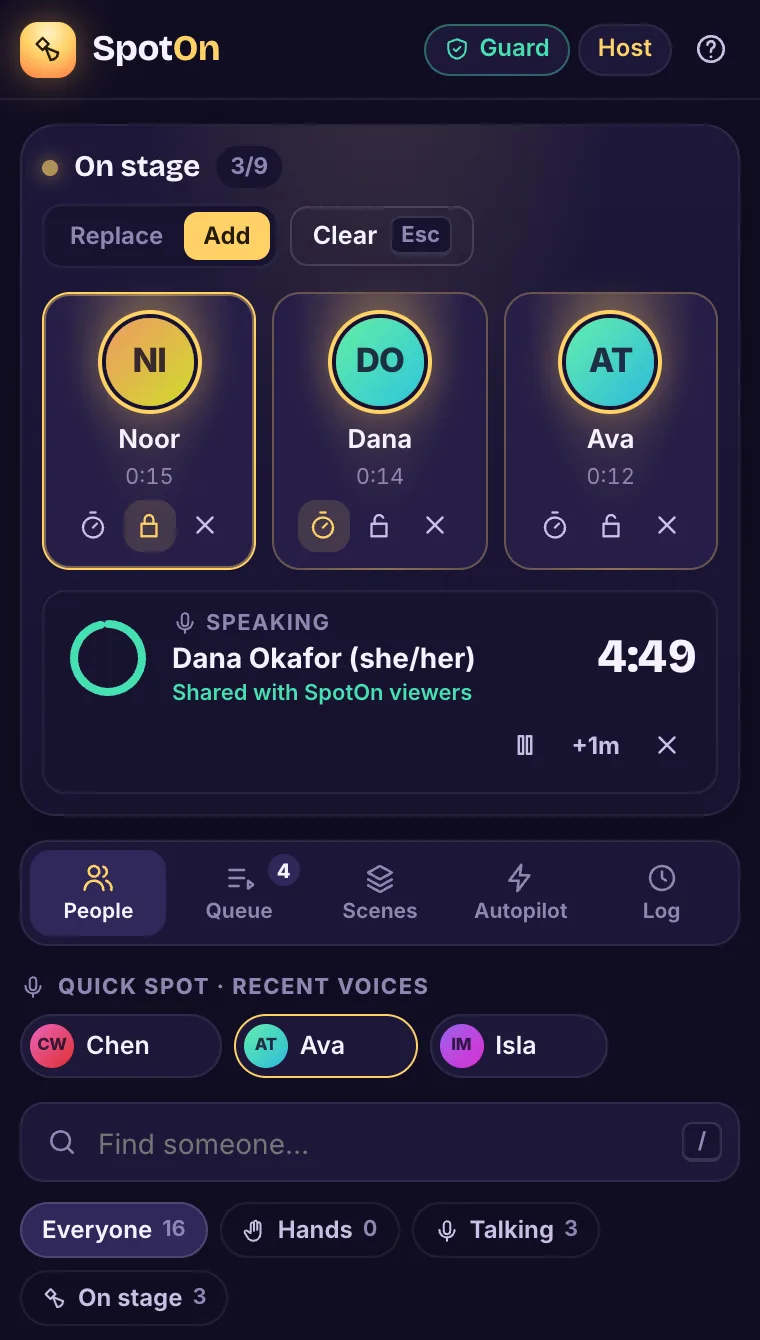
Open SpotOn from Apps in your meeting. Everyone on stage is up top with their stage time; the people list stays in stable A–Z order underneath, with recent voices one tap away.

  • Replace swaps the speaker. Add builds a panel, up to Zoom's 9 spotlights.
  • A speaker countdown, shared with everyone who has SpotOn open.
  • Screens from the built-in demo meeting. Try it yourself, no Zoom needed.
SpotOn sidebar: three people on stage (Noor, locked; Dana, speaking with a 4:49 countdown; Ava), mode set to Add, and the People tab with recent voices and search.
Stage & people
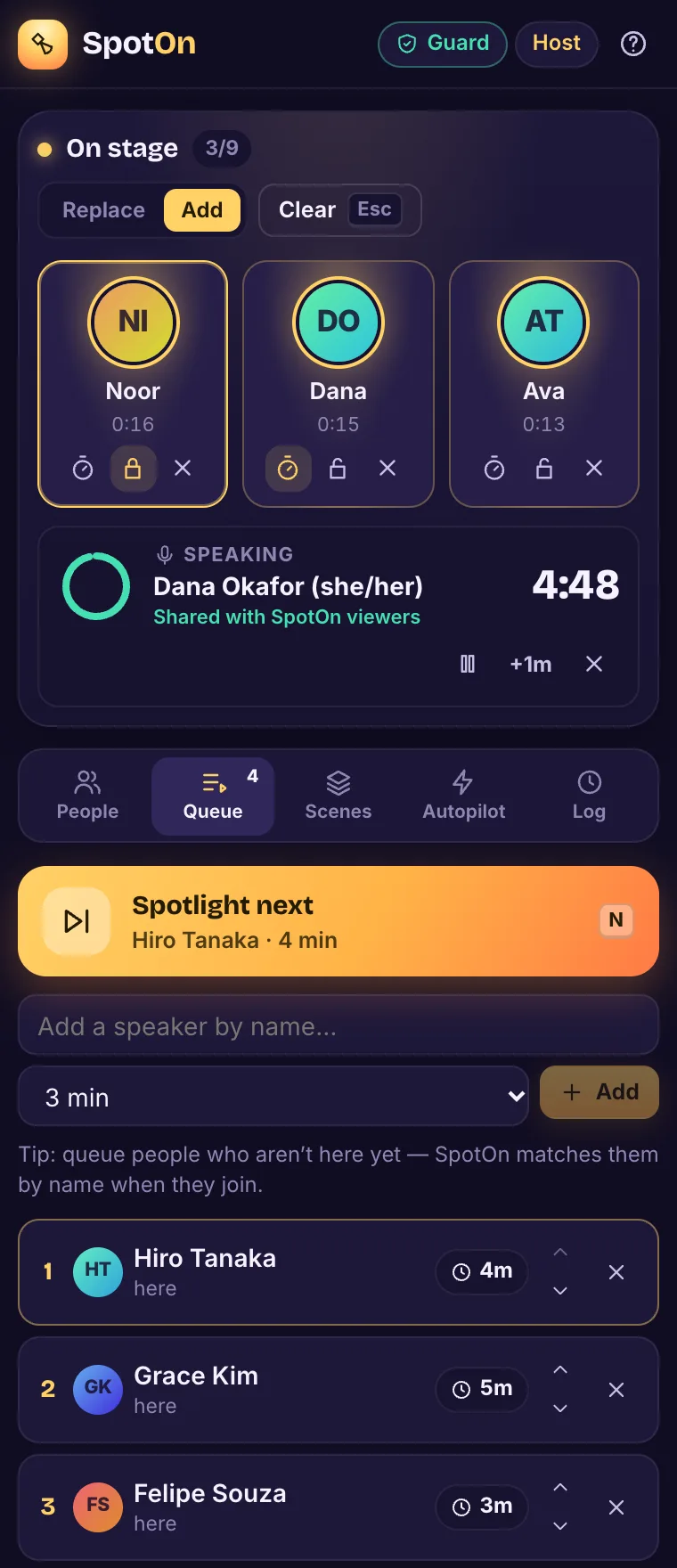
SpotOn Queue tab: a 'Spotlight next: Hiro Tanaka, 4 min' button with the N hotkey, and a queue of Hiro, Grace and Felipe with minutes per speaker.
Run-of-show queue

Act II · Your backstage crew

Everything the spotlight button forgot.

Stage Guard

Lock someone on stage. Guard keeps them there.

If a locked person drops and rejoins, new ID and all, Guard finds them by name and puts them back. If they un-spotlight themselves, it restores them. Perfect for interpreters, moderators and keynote speakers.

Plain-language fixes

When Zoom says no, SpotOn says why.

Camera off, fewer than 3 people on video, the 9-spotlight max, co-host limits: each gets a clear sentence and a one-click fix, and the common ones get a warning before you try.

Queue & timers

A run-of-show with a big “next” button.

Minutes per speaker, N for next, optional auto-advance. People who aren't there are skipped, and SpotOn can announce each speaker in chat.

Scenes

Save the layout once. One tap next time.

Scenes are matched by name, so “Panel” still works next week when everyone has a new participant ID.

Auto-director

For panels without an operator.

Follows whoever holds the floor. A hold time and a minimum stage time keep it from flickering on every cough, and it never spotlights you.

Raised hands

Hands in the order they went up.

See every raised hand by time raised, queue them all in one click, or have them queued automatically. Attendees who open SpotOn can tap Ask to speak instead of waving at the camera.

The Log

Know who touched the lights.

Every spotlight change is logged, and changes made outside SpotOn are flagged, so “it just vanished” finally has an answer.

Act III · Places, everyone

Three steps from “Add” to “Action.”

  1. Add SpotOn to Zoom

    Click the button, sign in to Zoom and approve. That's the whole install.

    Add to Zoom
  2. Open it in a meeting

    Start or join as host or co-host, click Apps, and pick SpotOn. It opens in the sidebar.

  3. Direct the show

    Spot, lock, queue. Press ? any time for the cheat sheet.

Intermission · Hotkeys

Your hands stay on the keys.

The shortcuts Zoom hosts have been asking for since 2020. Click a key, or click into the panel and type, to see what it does.

Shift + Esc clears locked people too, and ? opens the full cheat sheet inside SpotOn. Hotkeys pause while you're typing in a field.

On stage 1/9 Replace Guard Auto
    Next up: Hiro · 4 min N

    Noor is locked on stage.

    House rules

    Honest about the stage it runs on.

    • Your meeting stays yours. Nothing about the meeting is stored on a server. Queue, scenes and settings live in SpotOn's local storage on the host's computer.
    • Recording a panel? Set cloud recording to the Gallery view layout, or Zoom records only the active speaker.
    • Main room only. Zoom doesn't support spotlight in breakout rooms, and SpotOn tells you so instead of failing quietly.
    • The countdown is for the crew. It's shared with participants who have SpotOn open, not with everyone in the meeting. Chat announcements reach everyone.

    Q&A

    Before the curtain goes up.

    What do I need to use SpotOn?

    The Zoom desktop client (Zoom Apps run inside it) and a meeting where you're the host or a co-host. Spotlighting is a host-level action in Zoom, so attendees can't direct, but they can open SpotOn to see the speaker countdown and tap Ask to speak.

    How many people can be on stage?

    Up to 9, which is Zoom's spotlight limit. Zoom also needs at least 3 participants with video on before spotlight works, and the person being spotlighted must have their camera on. SpotOn checks all of this and tells you in plain words.

    Does it work for co-hosts?

    Usually. Zoom has known limits on what co-hosts can spotlight. When Zoom blocks it, SpotOn says so and offers Pin for me instead, which pins the person on your own screen.

    Does everyone see the speaker timer?

    No. The countdown badge is shared with participants who have SpotOn open. If you want the whole room to know who's up, turn on chat announcements in the queue options.

    Will my scenes and queue be there next meeting?

    Yes. Scenes and settings are saved on your computer and matched by name, so they work with new participant IDs. The queue and locks are saved per meeting, so if you close and reopen SpotOn mid-meeting, the show picks up where it left off.

    What happens to my meeting data?

    Nothing about the meeting is stored on a server. Everything SpotOn remembers stays in its local app storage on the host's computer.

    Can I try it without a meeting?

    Yes. The demo meeting simulates 16 people, raised hands, someone who drops and rejoins, and someone who un-spotlights themselves. It runs in your browser.

    Places, everyone.

    Add SpotOn and run your next meeting from the booth.