How to moderate a panel discussion on Zoom
To moderate a panel discussion, agree its purpose, prepare a short list of open questions, keep answers balanced and on time, bring in the audience, and close with a summary and thanks. On Zoom, also decide who runs the spotlight, because in a webinar a panelist can't spotlight anyone.
- Before the panel: purpose, people, questions
- Zoom roles: what the moderator can and can't do
- Who runs the spotlight?
- Rehearse the Zoom side
- During the panel: open, steer, balance
- Keep time without talking over anyone
- Handle audience questions
- Close the panel on purpose
- When you don't need a tool, and when SpotOn helps
- Frequently asked questions
Before the panel: purpose, people, questions
- Write one sentence on what the audience should leave with.
- Read up on the topic and each panelist's recent work, enough to ask follow-ups.
- Talk to each panelist beforehand. Confirm how to say their name, their title, and anything they want to raise or avoid.
- Write a short list of open questions. Start broad, get specific, and give every panelist at least one. Keep spare questions for when the audience goes quiet.
- Decide when audience questions come in.
- Write introductions of a sentence or two each.
Put it all in a run of show with Zoom cues, so whoever is operating Zoom can follow along.
Zoom roles: what the moderator can and can't do
"Moderator" isn't a Zoom role. In a webinar you will be a host, co-host or panelist, and that decides which buttons you have. If you are still choosing a format, see how webinars and meetings differ.
This table comes from Zoom's guide to webinar roles.
| Webinar task | Host | Co-host | Panelist | Attendee |
|---|---|---|---|---|
| Spotlight a video | Yes | Yes | No | No |
| Change what attendees see | Yes | Yes | No | No |
| See all Q&A and respond | Yes | Yes | Yes | No |
| Allow an attendee to talk | Yes | Yes | No | No |
| Promote an attendee to panelist | Yes | Yes | No | No |
| Raise a hand | No | No | Yes | Yes |
Two details catch people out. Webinar co-hosts can't be assigned ahead of time, so invite that person as a panelist and promote them once you are running. And a moderator invited as a panelist can talk and read questions but can't touch the stage.
Who runs the spotlight?
Give it to a co-host who has no other job, if you can. Moderating takes your full attention, and so does watching the stage.
Speaker Rory Vaden tells Toastmasters Magazine that as moderator "you become the spotlight operator." He means it as a figure of speech. On Zoom, someone has to do it for real, and it's hard to follow an answer while hunting for a name in a list.
Spotlight also has its own rules, set out in Zoom's spotlight article:
- A meeting needs three or more participants with video on.
- A webinar needs two or more panelists, at least one with video on.
- You can spotlight up to 9 people, and a host or co-host has to do it.
- Spotlight isn't available in the webinar backstage area.
- Cloud recordings capture up to 9 spotlighted people in the Gallery View layout, so check your recording settings if you want the stage on the recording.
Zoom lists co-hosts as able to spotlight, but some versions limit what a co-host can do, so have yours try it in rehearsal. Our step-by-step spotlight guide covers the clicks.
Your view isn't the audience's view
One host asked in the Zoom Community how to show one of four panelists at a time, then bring all four back for Q&A. The answer there was to set Attendee View to Speaker, use Replace Spotlight between speakers, and use Add Spotlight to bring everyone back. That reply also warns that panelists' screens may differ from attendees' screens, and suggests joining as an attendee on a second device to check. It dates from 2023, so confirm it in your rehearsal.
Rehearse the Zoom side
Webinars have a practice session that the host, alternative host and panelists can join and attendees can't. You can run it days ahead. Meetings don't have one, so hold a short test meeting instead.
- Have panelists use their own panelist link, or sign in with the invited email. Otherwise Zoom sends them in as attendees and they miss the practice session.
- Promote your operator to co-host and have them run a full change of speakers.
- Agree the cue for changing the stage and the signal for "time is nearly up".
- Check how the panel looks from an attendee's seat.
During the panel: open, steer, balance
Open with why this topic matters to these people, then your name and how the session will run, including when questions come in. Then introduce the panelists yourself. Make your first question an easy one. After that, your job is mostly listening.
- Ask follow-ups, and drop a planned question when a better conversation starts.
- Pass ideas between panelists by name: "Sam, you've seen the opposite. What happened?"
- Bring in the quiet panelist by name, since on a video call they can't catch your eye.
- Stop a long answer politely at a breath: "Thanks, I want to hear how the others see that."
Say the next speaker's name before you ask the question. That gives them time to unmute and gives your operator time to change the stage. Without it, the previous speaker stays on stage while the next one starts.
Keep time without talking over anyone
Tell panelists the time limit in advance, and tell them what signal they'll get. Then choose one way to deliver it:
- A private chat message from the operator. This only works if the panelist is watching chat, so agree that in rehearsal.
- A timer panelists can see. Our guide to Zoom timers compares the options.
- Your own voice: "One last thought on this before we move on." It's simple, and everyone hears it.
Protect the end of the session, because questions and the close get squeezed first when early answers run long.
Handle audience questions
In a webinar, attendees type into Q&A. Host, co-hosts and panelists can all see every question, so decide who reads them. Have one person screen them and send the best to the moderator by private chat, and tell panelists to ignore the Q&A window.
- Turn on upvotes, and sort by Most Upvotes to see what the room wants.
- Click Answer live so the question is marked as handled, then Done.
- Read each question aloud before passing it to a panelist, because not everyone can see it.
If you want someone to speak, Allow to talk lets an attendee unmute after they confirm. The Participants panel lists raised hands in the order they went up. To put an attendee on camera, use Promote to panelist. In a meeting, people can usually unmute themselves, so ask them to raise a hand and call on them by name.
If nobody asks anything, don't plead. Pause briefly, then go to a spare question of your own.
Close the panel on purpose
- Announce the last question as the last question.
- Summarize what you heard in a couple of sentences, using the panelists' own words.
- Tell people where to find the panelists, and the recording if there is one.
- Thank the panelists, then the audience.
- Say what happens next, and hand back or end the session.
Your operator can bring all the panelists back on stage for the thanks.
When you don't need a tool, and when SpotOn helps
You don't need anything extra if the whole panel stays on screen throughout, or if a co-host is happy to use Zoom's own spotlight menu with a phone timer beside them.
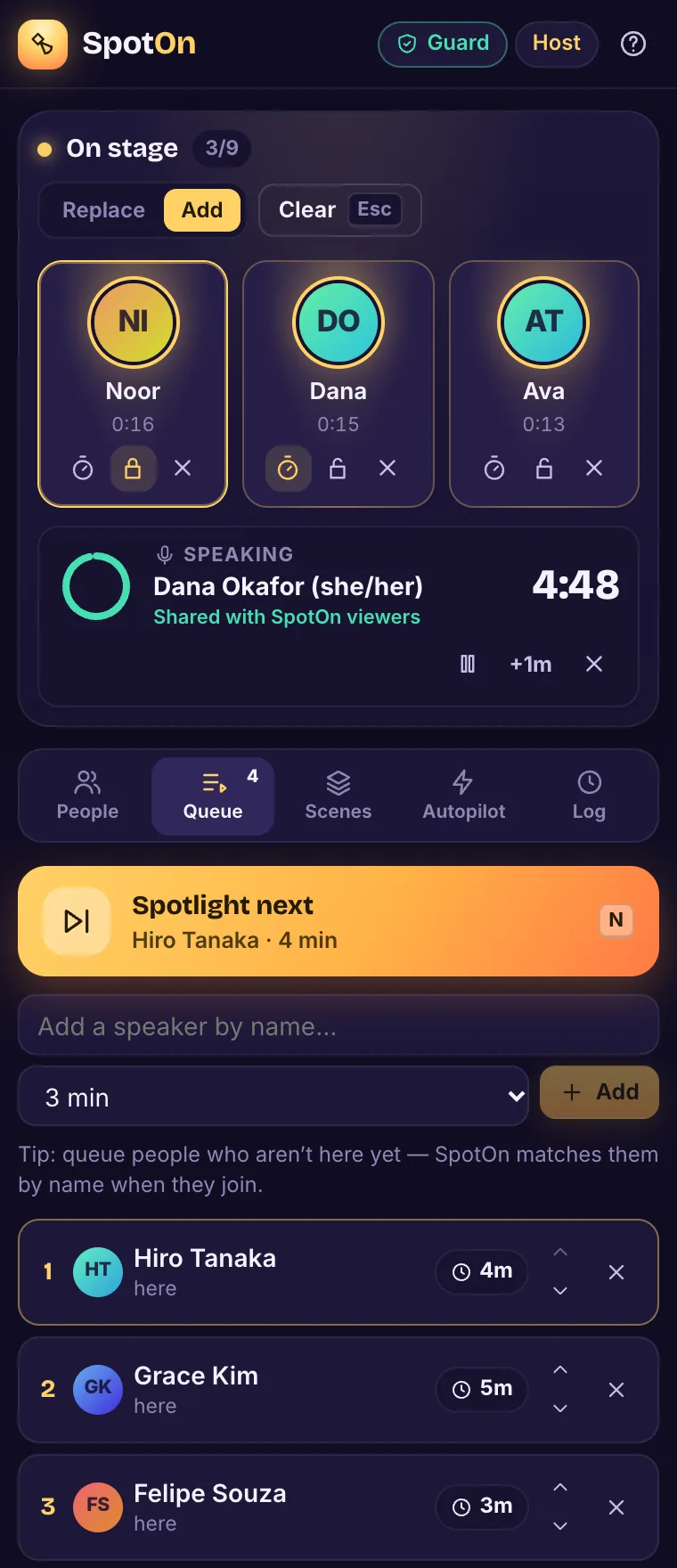
SpotOn is for when one person has to change the stage often, or when there is no spare co-host. It runs in the side panel for hosts and co-hosts on the Zoom desktop client. In the queue you set minutes per speaker and press Spotlight next or N. It skips people who aren't there and can advance automatically when time is up. Auto-director, off by default, spotlights whoever holds the floor, after a hold time you choose.
Two honest limits. The countdown badge shows only to participants who have SpotOn open, so Announce in meeting chat is the option for reaching everyone. And we haven't yet verified the queue, auto-director or chat announcements in a real Zoom meeting, so try them in your rehearsal first.
Frequently asked questions
What does a panel moderator do?
A panel moderator sets up the conversation, asks the questions, shares out the speaking time and brings in the audience. They also keep the session on schedule and close it. Most of the role is listening and steering, with very little talking.
How do I introduce myself as a moderator?
Give your name and a few words on why you are hosting this conversation, then say how the session will run. Mention when people can ask questions. Keep it brief, so the time goes to the panelists.
What qualities make a good moderator?
Good moderators listen closely, stay fair to every panelist, and are willing to interrupt politely when an answer runs on. They prepare well and still drop their plan when a better conversation appears. On Zoom, it also helps to know who controls what.
How do I moderate a virtual panel?
Use the same preparation as an in-person panel, then add a rehearsal in Zoom. Assign someone to run the stage, agree a signal for time, and name each speaker before you question them. Call on people by name, since nobody can catch your eye on a video call.
Can a panelist spotlight someone in a Zoom webinar?
No. Zoom lists spotlighting as a host and co-host control. If your moderator needs that control, the host can promote them from panelist to co-host once the webinar is running.